

Last week I spent hours going through GitHub looking for repos built for marketers. There was only one goal: to find the ones that can save both you and me time, money, and stress.
I wanted to find repos that do a real marketing job: audit a landing page, rewrite an email, read a competitor’s pricing, help with SEO.
I’ll be honest. I didn’t find only seven, GitHub is full of them. So I had a little trouble choosing which one I should really publish.
I chose them based on the following criteria:
number of total stars + how many stars they are still receiving daily. This tells me that repo is popular and people are actively downloading and using it.
when it was published. I removed all the repos that are more than 1.5 years old. Something that might have worked 2 years ago does not necessarily work now.
The quality of the documentation and repo itself. I went through documention of each one and tested the shortlisted ones.
At the end I chose 7 of them that might help you and your marketing team. That doesn’t mean the others are not good, so I’ll probably be doing the next round soon.
By the end of this, you’ll have all seven installed, and you’ll have run one prompt in each.
If you’re new here, welcome! Subscribe if you want weekly tips on how to use AI for marketing. If you’ve been reading a while, thank you.
First, what a “repo” actually is
A repo is a folder on GitHub with code in it. Each one does its job, and you can import them easily into your Claude Code or ChatGPT Codex or others.
The ones below are a specific kind: agent skills.
A skill is a folder of instructions that teaches Claude Code (or ChatGPT’s Codex, or any agent that reads skills) how to do a job. You install it once, then you call it with a slash command, like /cro.
Two of the seven aren’t just skills but complete tools you run on your machine (deer-flow and OpenMontage). The installation takes longer than the others, but they also get more done.
To get started, you’ll need to install Claude Code first. If you don’t have it, run this:
npm install -g @anthropic-ai/claude-code
Then type `claude` in your terminal.
You can also use Visual Studio Code if you don’t like the terminal.
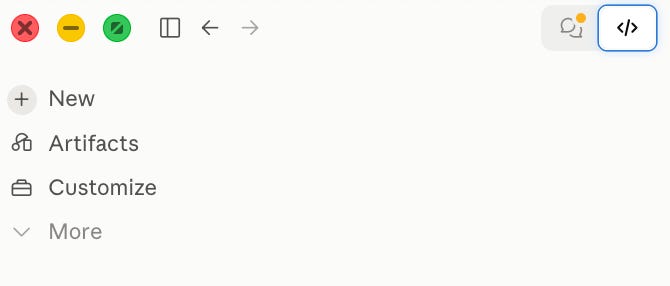
If you use Claude desktop app, just switch from Chat to Code.
All done? Let’s go.
1. marketingskills

Corey Haines literally wrote down what a good growth marketer does, as skills.
CRO audits, copywriting, SEO, analytics, launch plans, pricing pages. 50,895 stars, 7,709 forks, MIT.
Imagine having another virtual team of marketing on your hand to help you with your product launch, campaign, market research.
To install it, run this:
npx skills add coreyhaines31/marketingskills
Let’s say, for example, you run an eCommerce store, and you’d like to check how it’s performing and where you’re loosing money.
Paste this prompt and adjust it to your actuall website:
Run /cro on my landing page at [URL] and list the five biggest conversion leaks, ranked by how much money each one is costing me.It will read the page and give you five leaks with actual fixes for each. The first time I saw the output it read like a pro CRO consultant would write it. Except, it didn’t send me an invoice with it.
Pro tip: the skill works better if you give it more context; for example, tell it who the page is for. Add one line to the prompt:
The buyer is a [role] at a [company size] company.2. humanizer

Humanizer is a skill that humanizes your writing and removes the signs of AI from text. You know what I’m talking about: the em dashes, the “it’s not X, it’s Y”, the rule-of-three adjectives, the closing line that restates the opening. Everything that’s cringe about AI.
To install it, run this:
npx skills add blader/humanizer --global
The --global add-on means it works in every project, not just the one you’re in. You want that for this one so you can use it across the whole Claude.
Let’s use it on one example. You were just about to publish a new post on your social media, and you used AI to help you write the caption. You want it to make it sound more human.
Paste this prompt:
/humanizer

Rewrite this caption so it reads like I typed it on my phone. Keep every fact. Don’t add anything.

[paste your caption]
It will return the same caption, but shorter and less AI slops. Try it on captions, emails, website copy, and others text before you publish it.
(But there’s a twist: It won’t make bad copy good. It makes good copy sound like a person.)
3. last30days

Last30days is an agent skill that researches any topic across Reddit, X, YouTube, Hacker News, and the web for the last 30 days. Then scores what it finds by upvotes and likes instead of by what an editor thinks.
To install it, run this:
npx skills add mvanhorn/last30days-skill -g
Let’s say I want to scale you want to scale your B2B SaaS and you’re wondering what’s currently working on different platforms, what competitors are posting and what’s getting traction.
Paste this prompt:
/last30days AI video ads for B2B SaaS

Research what has worked on Reddit, X, and YouTube during the last 30 days.

Focus specifically on AI-generated or AI-assisted video ads promoting B2B SaaS products. Include product demos, customer stories, founder-led ads, problem–solution videos, feature launches, comparison ads, educational ads, retargeting creatives, and short-form demand-generation videos.

Exclude consumer products, ecommerce ads, entertainment content, generic AI-video tutorials, and posts that do not relate clearly to B2B SaaS marketing.

Find the five most relevant high-engagement posts or videos from each platform. For every example, include:

- Publication date
- Creator or company
- Direct link
- Visible engagement metrics
- Intended B2B audience
- Product category
- Funnel stage: awareness, consideration, conversion, or retargeting
- Opening hook
- Main pain point
- Core promise
- Creative format
- Approximate length
- Call to action
- AI tools or production methods mentioned
- Why people engaged, based on the replies or comments
- What a B2B SaaS marketer could adapt without copying the creative

Rank examples within each platform. Do not compare raw engagement figures across Reddit, X, and YouTube as though they were equivalent.

Separate the findings into:

1. Actual B2B SaaS video ads
2. Organic B2B SaaS videos that could be adapted into ads
3. Discussions or case studies about producing AI video ads

Then synthesize:
1. Five hooks appearing repeatedly
2. Five creative formats currently working
3. The pain points receiving the strongest audience response
4. Three approaches that appear oversaturated
5. Three underused creative opportunities
6. Differences between founder-led, customer-led, product-led, and faceless creatives
7. Patterns in video length, pacing, captions, demonstrations, proof, and calls to action
8. Which ideas appear best suited to LinkedIn, YouTube, and paid social
9. Ten AI video-ad concepts a B2B SaaS company could test this week
10. One recommended concept with:
- Target audience
- Funnel stage
- Hook
- 30–45 second script
- Shot-by-shot outline
- On-screen text
- Proof element
- Call to action
- Three alternative opening hooks

Prioritize examples with observable evidence. Clearly distinguish facts, creator claims, audience reactions, and your own interpretation.

Do not invent engagement figures, campaign performance, conversion rates, ROAS, or information hidden behind inaccessible pages. If an example has strong public engagement but no demonstrated advertising performance, state that clearly.
Afterward, you’ll get a sourced list with links. Think of it like the research intern that never sleeps, and it’s the one I run every time we launch a new client or product.
4. firecrawl

Give Firecrawl a website, and it turns the pages into clean text your AI agent can actually use. That could be one pricing page, 200 customer reviews, or an entire blog. Useful when you’re launching a new product or website and you want to combine the best elements of your competitors’ websites.
To install it, you’ll first need to get a free API key from Firecrawl. The free tier is enough to try this example.
Then run this prompt:
npx skills add firecrawl/skillsThen paste this:
Read every page under [competitor.com]/pricing. Create a table showing what they charge for, what each tier includes, and what they don’t mention.Instead of spending ten minutes jumping between tabs, you get one clean comparison table. Pay attention to what the competitor leaves unsaid. That’s often where the most useful information is.
5. DESIGN.md

Claude can build a decent landing page. Getting it to use the same colours, fonts, and spacing twice is the harder part.
Awesome Design MD is a collection of DESIGN.md files from real brands. Each file spells out how the brand should look and sound, so Claude has a set of rules to work from.
There’s nothing to install. Find a DESIGN.md you like, copy it into your project folder, then change the colours and fonts to match your brand.
You can build anything with it, but let’s say you want to build a new landing page for your product. Paste this prompt:
Read DESIGN.md before you start.

Build a landing page for [product] using the colours, fonts, spacing, components and writing style defined in that file.

Include:
- A hero with one main call to action
- The problem the product solves
- Three main benefits
- A section showing how the product works
- Social proof
- A final call to action

Make the page work well on desktop and mobile. Use clear HTML and make buttons, links and text easy to use and read.

Do not add colours, fonts, effects or design patterns that aren’t in DESIGN.md.

Put everything in one index.html file with the CSS and JavaScript included. Don’t use a framework.
The result should already feel like it belongs to your brand.
Before I started doing this, every page Claude made for me used a slightly different shade of blue or violet. You know. Typical vibe-coded-looking stuff.
You can also write your own DESIGN.md and reuse it for every project. Mine is basically four hex codes, two fonts and a few spacing rules. That’s been enough to keep everything consistent.
#6. deer-flow

DeerFlow is a super-agent from ByteDance that researches, cross-checks and writes. It’s great for research jobs that would normally leave you with 20 open tabs and messy notes.
Give it a question, and it breaks the work into smaller searches, checks what it finds, and pulls everything into one report with sources.
This is a full application, so be patient as the setup takes around 15 minutes.
To install it, run this:
git clone https://github.com/bytedance/deer-flowcd deer-flow
Then follow the setup instructions in the README. You’ll need an API key for a language model and another for search. Tavily has a free tier, and the README explains where both keys go.
If you are just launching a newsletter and you want to scan others in your niche to see what they are doing, paste this:
Research the 10 largest AI marketing newsletters.

For each newsletter, find:
- Its audience size and the date that figure was reported
- Free and paid subscription options
- Other ways it makes money
- Publishing frequency
- Main content format
- The channels or tactics that drove its growth
- Sources for every number and factual claim

If two sources disagree, show both figures and explain which one appears more reliable. Do not estimate missing numbers.

Finish with a comparison table and five lessons a new AI marketing newsletter could apply.
DeerFlow plans the research, sends different parts of it to separate agents, compares the sources, and writes the final report.
It’s useful before a launch, when you need to understand the market properly but don’t want to lose half a day collecting numbers by hand.
7. OpenMontage

Think of OpenMontage as agentic video production. It takes a script and turns it into a complete video, including the shots, voice-over, music, captions, and final edit.
It comes with 12 production workflows and more than 700 skills.
Again, this is a full application, so allow around 15 minutes for the initial setup.
To install it run:
git clone https://github.com/calesthio/OpenMontage
cd OpenMontage
Follow the README to finish the setup and add your API keys. OpenMontage uses paid image and video models, so every generated clip has a cost. A short ad can cost less than a dollar with cheaper models, but the total depends on which models you choose and how many times you regenerate the clips.
If you want to create a video ad for your product, paste this:
Create a 20-second vertical video ad for [product].

Audience: [target customer]
Problem: [problem they have]
Main benefit: [most important product benefit]
Proof: [result, testimonial or product evidence]
Call to action: [desired next step]

Requirements:
- 9:16 format at 1080 × 1920
- Exactly three shots
- Show the product within the first three seconds
- Use the colours, fonts and visual rules from DESIGN.md
- Write a short voice-over that sounds natural when spoken
- Add burned-in captions that match the voice-over
- Keep each caption to two lines or fewer
- Use subtle background music that does not compete with the voice
- End with the product name and call to action
- Do not invent customer results, product features or statistics

Before generating the video, show me:
1. The three-shot plan
2. The voice-over
3. The on-screen text
4. The estimated duration of each shot

Then create the first cut.
The first version probably won’t be the one you publish, but it gives you something real to work with. You can see which shots work, where the script drags, and what needs another pass.
That alone can save hours compared with starting from an empty timeline.
Step-by-step guide on how to run this:
1. Install Claude Code.
2. Add Marketing Skills, Humanizer and Last 30 Days with npx skills add.
3. Create a Firecrawl account, copy your API key and add the Firecrawl skill.
4. Put one DESIGN.md in your project folder and change the colours and fonts to match your brand.
5. Run /cro on your own landing page. This is the quickest way to see whether the setup is actually useful.
6. Set up deer-flow and OpenMontage on a day you’ll have more time to test it.
You don’t need to install everything at once. Start with the landing-page audit, use what it gives you, and add the other tools when you have a job for them.
If these repos were useful, send this to someone who might use it too.
Hi, I’m Aljaz and I share the AI stuff that you can actually use before your coffee gets cold.
Reply to this email and tell me which one you ran first. I read every reply.
- Aljaz