

With my team, video is what takes us the most time, and a big part of that is the planning before anyone makes anything: research, the brief, the hooks, and then 5 different tools to make the actual ads.
So when TopView launched a connector for Claude, I wanted to see if one chat could do all of it.
New here? Grab a coffee, you’re in the right place. Been here a while? Thanks for sticking around.
If you know someone who still plans ads across 5 tabs, send this to them.
By the end of this post you’ll have TopView connected to Claude, my prompt, and the 3 things I’d check before spending any credits.
If you’re new to this
TopView is an AI video and image studio. You give it a product, it makes ads.
What’s new is that it now plugs into Claude through MCP. MCP is basically a connector that lets Claude use another app from your chat.
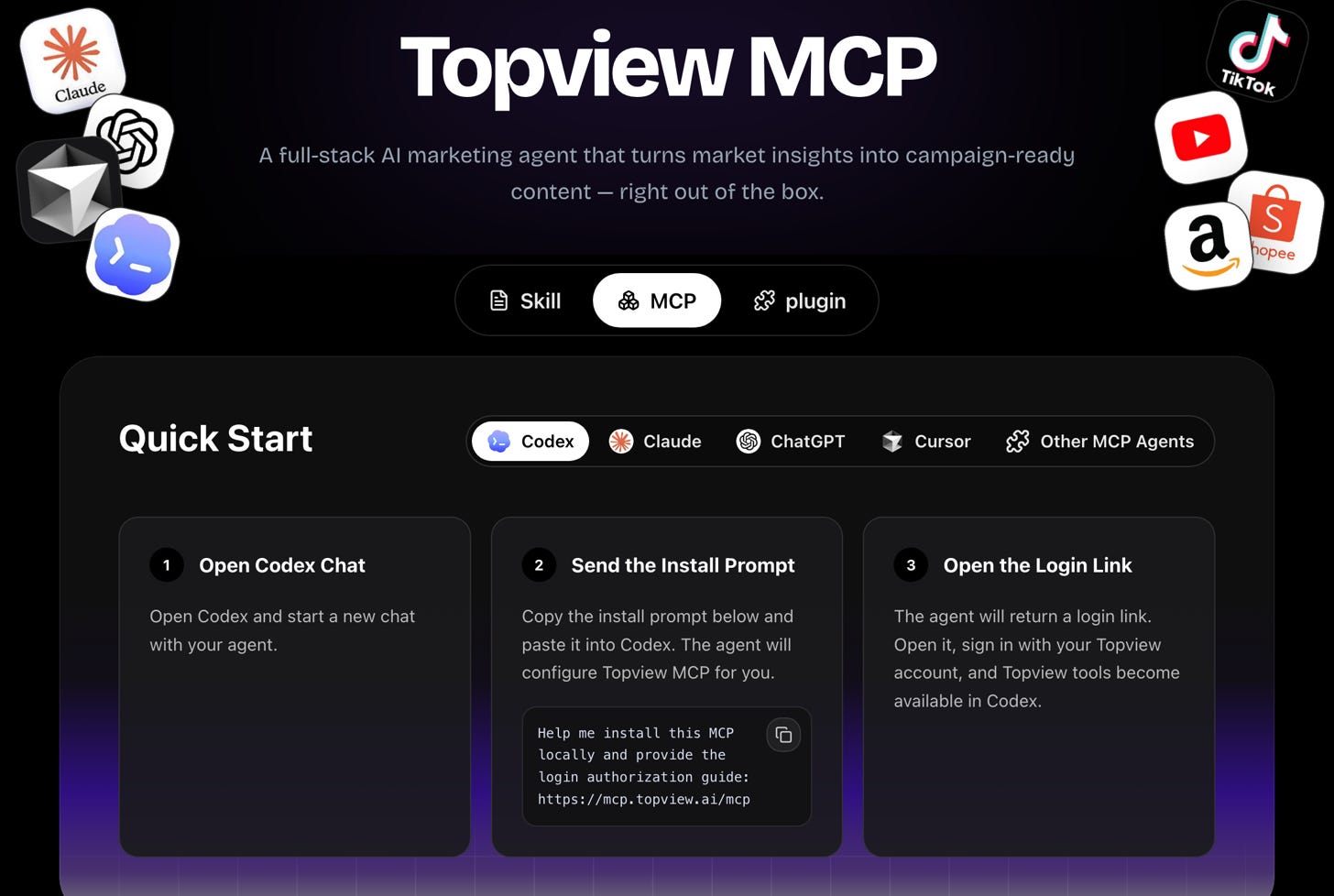
So you don’t open TopView at all. You upload a product photo in Claude, type “Launch a campaign” and Claude calls TopView for you.
What happens after you send the prompt
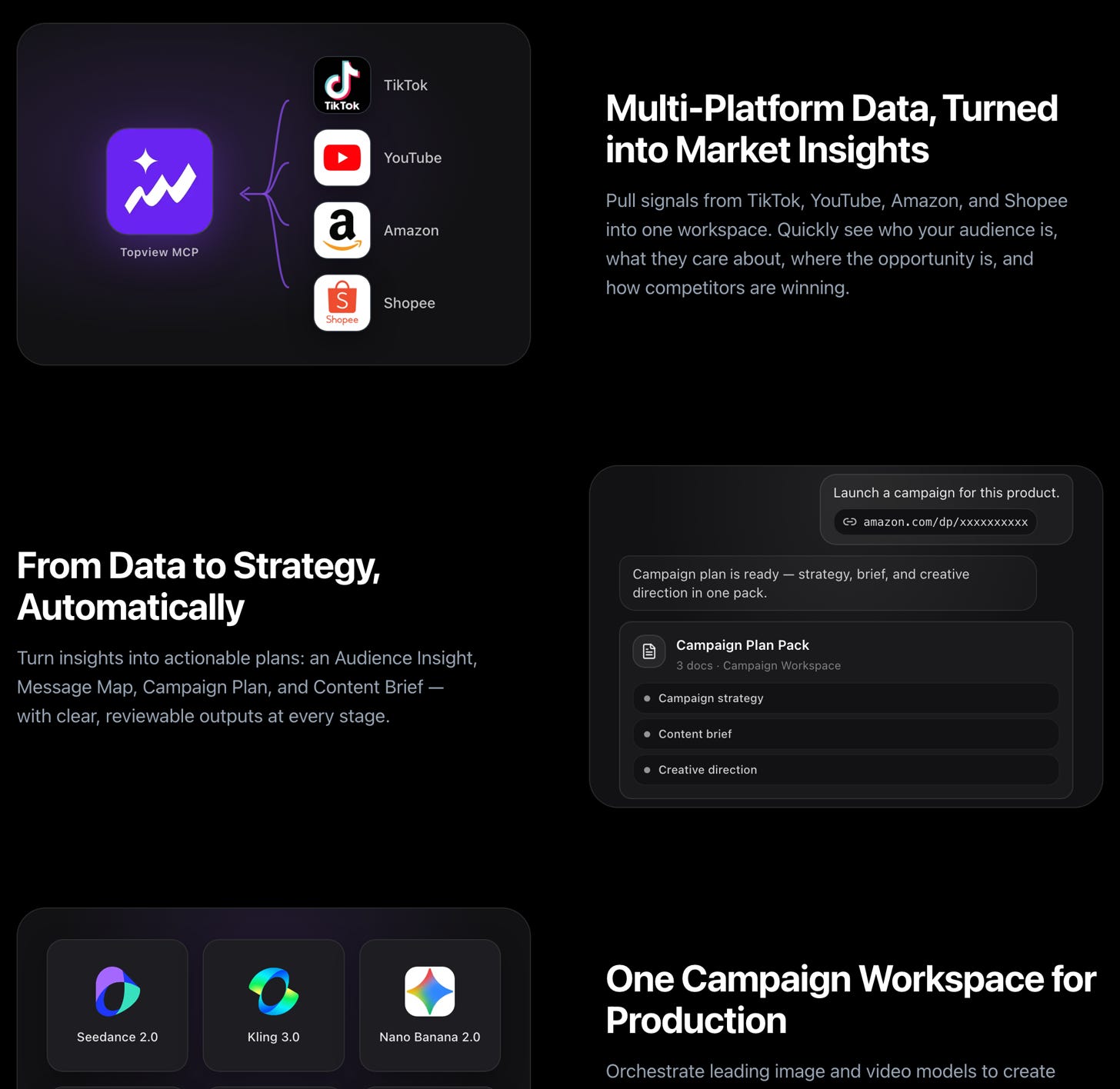
First it does the research. It looks at TikTok, YouTube, Amazon and Shopee for your type of product and pulls out who buys it, which hooks work and where competitors are weak.
Then it writes the plan. You get an audience insight, a message map, a campaign plan and a content brief. All of it shows up in the chat, so you can push back before anything gets made.
Then it makes the creatives. Product visuals, UGC-style videos and a few versions of each ad, using models like Seedance, Kling and Nano Banana.
And everything lands in one campaign workspace. Each ad sits next to the research behind it, which is pretty handy when a client asks why you picked that hook.
What you need
A Claude plan where you can add custom connectors. The desktop app and claude.ai both work.
A paid TopView account. There’s no free plan, and every paid plan I checked includes MCP access. Prices change with promos all the time, so check [topview.ai/pricing](https://www.topview.ai/pricing) on the day you sign up. On 8 October the Plus plan was $36 a month billed yearly, with 100 credits a month.
And credits. Write down your balance before the first run, you’ll want that number later.
Connect TopView to Claude
The easy way is to let Claude do it. Open a new chat and paste this:
Help me install this MCP locally and provide the login authorization guide: https://mcp.topview.ai/mcpClaude walks you through it and gives you a login link. Sign in with your TopView account and that’s it.
If you’d rather do it by hand:
1. In Claude, open Settings, then Connectors.
2. Click Add custom connector.
3. Name it `TopView` and paste `https://mcp.topview.ai/mcp` as the URL.
4. Click Connect and sign in with your TopView account.
To check it worked, start a new chat and paste this:
What TopView tools can you use?It should list the TopView tools. If Claude answers from its own knowledge, the connector isn’t on yet.
My prompt
Start with a clean product photo. Plain background, label readable. Upload it and paste this:
Here’s a photo of [product], a [one-line description]. Launch a campaign for it. Audience: [who, age, where they discover products]. Show me the research, the strategy and every creative you make, and tell me how many credits each step used.The last sentence is the one I’d never skip. Claude reports the credits after every step, so you see the cost while it’s happening and not at the end.
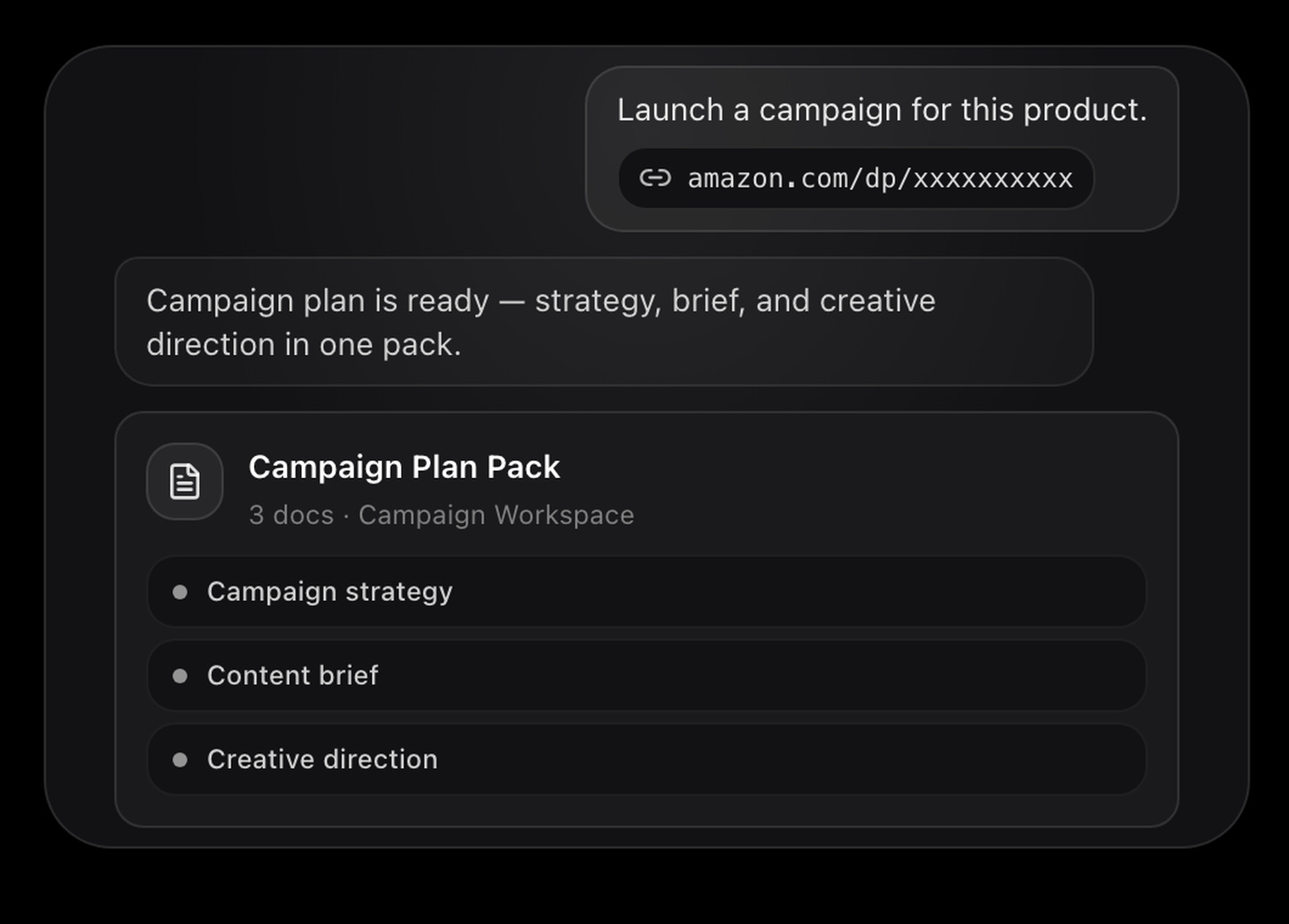
You can also skip the photo and paste an Amazon link to the product. TopView’s own example does exactly that, and what comes back is a campaign plan pack: the strategy, the content brief and the creative direction, saved in the workspace.
What it costs
Every generation uses TopView credits, and video costs far more than images. On TopView’s pricing page, 50 credits covered about 350 GPT images or only 33 seconds of Seedance video. So start small. Ask for 2 videos and 2 images on your first run, and check your balance before and after.
Before you spend credits
Unlimited doesn’t work through Claude. Some TopView plans have unlimited generations, but only on topview.ai. Through Claude, every generation costs credits.
Check every label. AI still misspells product labels, so zoom into every image before you post it.
And if Claude answers without using TopView, start your message with `Use TopView to` and send it again.
Recap, in the order you’d run it
1. Get a paid TopView plan and write down your credit balance.
2. Add the TopView connector in Claude and sign in.
3. Ask Claude which TopView tools it can use.
4. Upload a clean product photo.
5. Paste the prompt, with the credits sentence.
6. Check every creative and every label before you post.
If this saved you an afternoon, forward it to one person who runs ads for a product. That’s how this newsletter grows.
See you,
Aljaz