

For weeks I kept seeing the same post.
You know the drill: “Comment CODES and I’ll send you 200 more.”
Every time I scrolled, another one. What amazed me was that one of them had 30,000+ comments.
So I went looking for the codes myself.
If you’re new here, welcome! If you’ve been reading for a while, thank you.
if someone on your team makes the product shots or the ads, forward this to them. It’ll save them an afternoon.
I found six public lists. Between them, they promise over 1,100 codes.
Most of them overlap. A fair few are named after film studios and video games (which you don’t want anywhere near an ad).
Once I took those out, around 600 were left. So I tested them all.
Honestly? You don’t need 600 of them. You need about 20, and one prompt with it.
By the end of this, you’ll have both. Plus a template you can reuse for pretty much anything.
First, what these codes actually are
A code is one word with a slash in front. Something like /producthero. Or /flatlay. Or /staticad.
You type it into ChatGPT, usually with a photo and it tells ChatGPT what kind of image you want.
Here’s the part I didn’t expect: they aren’t a ChatGPT feature.
There’s no menu. There’s no list from OpenAI. The slash does nothing (really).
ChatGPT reads the word as a hint. It knows what a flat lay looks like, so it makes one.
That changed how I think about them.
If the slash does nothing, plain words work too. You can stack them. You can even invent your own. And that’s where the fun beggins.
So the codes are a shortcut. One word instead of a sentence.
And a shortcut is only useful if you know where it’s taking you.
[IMAGE: the same product photo run with /packshot, /flatlay and /producthero, side by side]
The line that makes every code work
Most people type the code and nothing else.
You get a nice image. Of something that isn’t quite your product.
ChatGPT redraws what you upload. It moves labels. It smooths faces. It rewrites headlines (apparently it knows better).
To fix this, you need to use one line. Add it to every request with a photo or text in it:
Keep the [product / face / text] exactly as in my photo.
It tells ChatGPT what it’s not allowed to touch.
Without it, a code is a bit of a coin flip. With it, you get your product in a new picture.
The five-part request
Every request I’d write has the same five parts.
Only the first two are required. I’d still use all five.
Paste this:
[main code] [add-on codes]
What it is: [your product, person or design in one line]
Details: [brand colours, setting, mood, who it’s for]
Size: [1:1 / 4:5 / 9:16 / 16:9]
Keep: [what must not change: the product, the face, every word of text]
I’ll explain:
Main code: Just one. It decides what you get.
Add-ons: Up to three, for light, angle, or framing. I’d stop at three. After that, they start fighting each other.
Details: This is optional, but if you want to keep it aligned with your brand, give it a little more context.
Size: 1:1 for listings, 4:5 for Instagram, 9:16 for Stories, 16:9 for YouTube. If you don’t say it, ChatGPT guesses.
Keep: The line above. Don’t skip it.
ChatGPT Codes
1. Product shots
These four cover most of what a shop or a launch needs.
/packshot: Product on plain white, ready for a listing.
/producthero: The product as the star: dramatic light, glossy reflection.
/lifestyleshot: The product being used in a real setting.
/flatlay: Shot from directly above, with props around it.
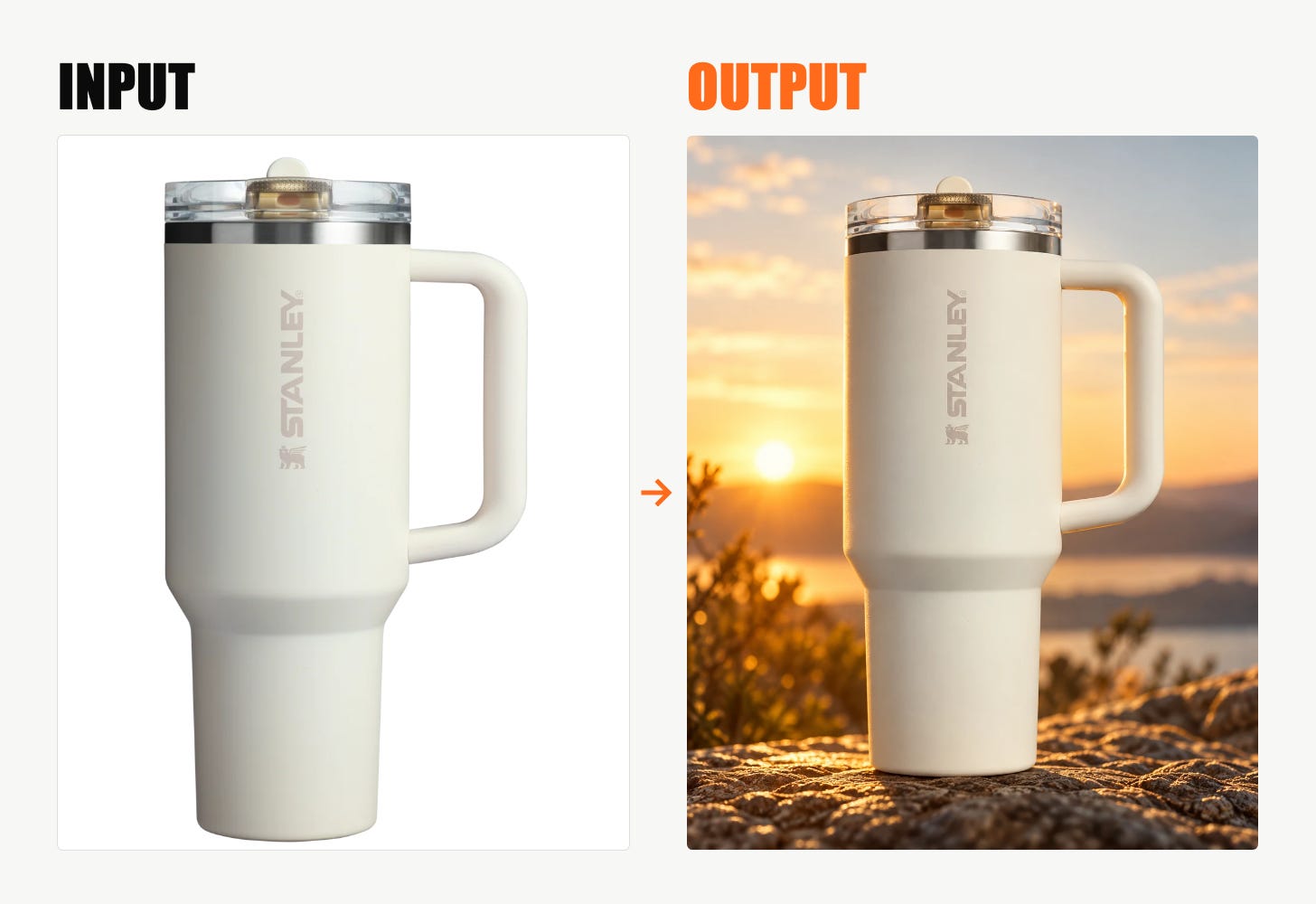
Let’s test one. Paste this:
/producthero /goldenhour /lowangle
What it is: a Stanley cup.
Size: 4:5.
Keep the product exactly as in my photo: shape, colour and label.
You get a hero shot in warm evening light, camera low, looking up at the bottle.
2. Ads
Four codes, four kinds of ad.
/staticad: A single-image ad with a headline and a button.
/storyad: A 9:16 ad for Stories.
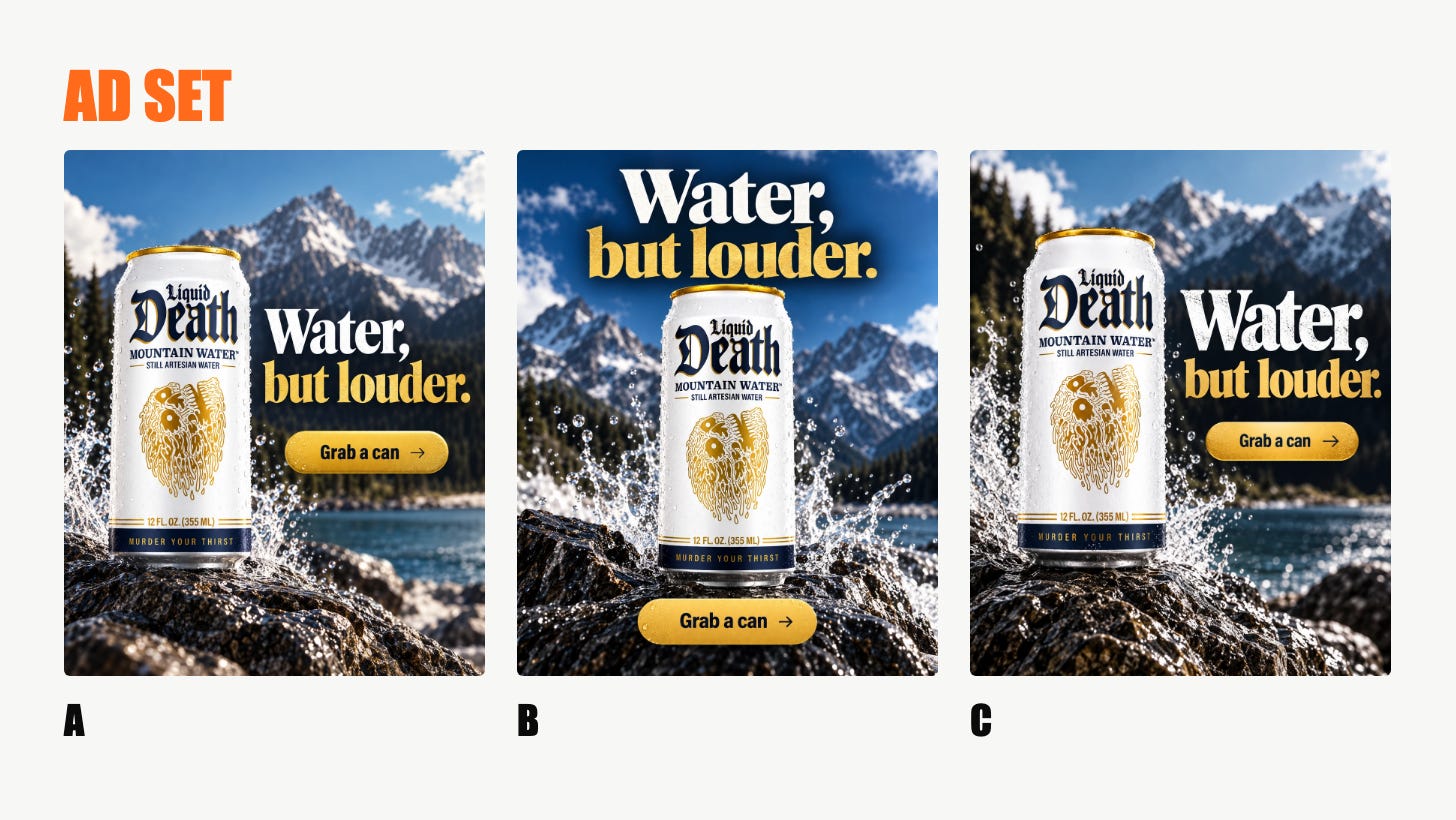
/adset: Several versions of one ad with different hooks, to test.
/billboard: Your ad on a real roadside billboard.
Test time:
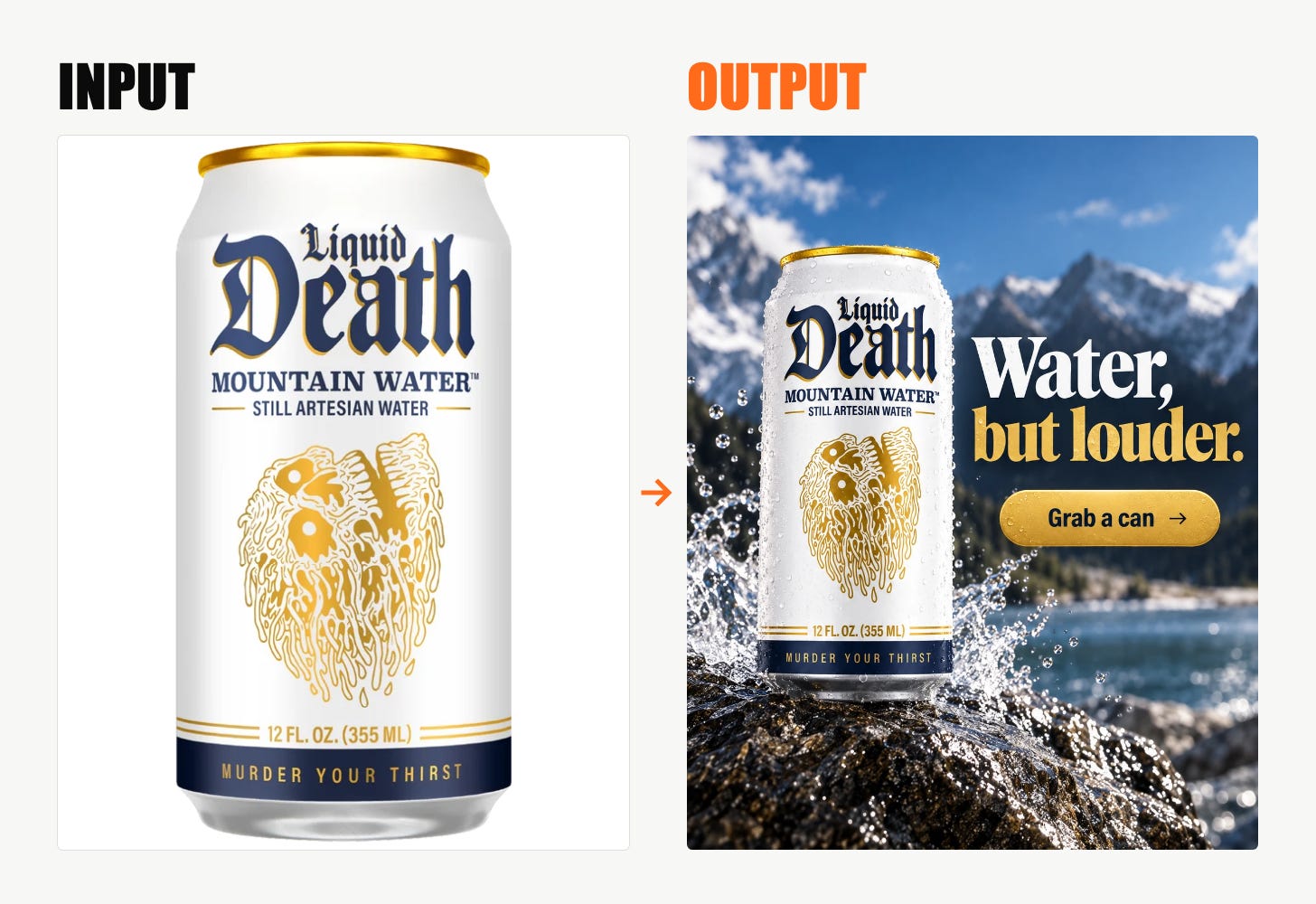
/staticad
What it is: [product].
Headline: “[your headline]”.
Button: “[your call to action]”.
Size: 4:5. Keep every word exactly as I wrote it.
Put the headline in quotation marks. I’d do it every time. It keeps the words from drifting.
Then run /adset on the same product. Five ads, five angles. I’d put a small budget behind each and keep the winner.
And /billboard is the one for clients. They get a billboard mockup faster than any deck.
3. Headshots
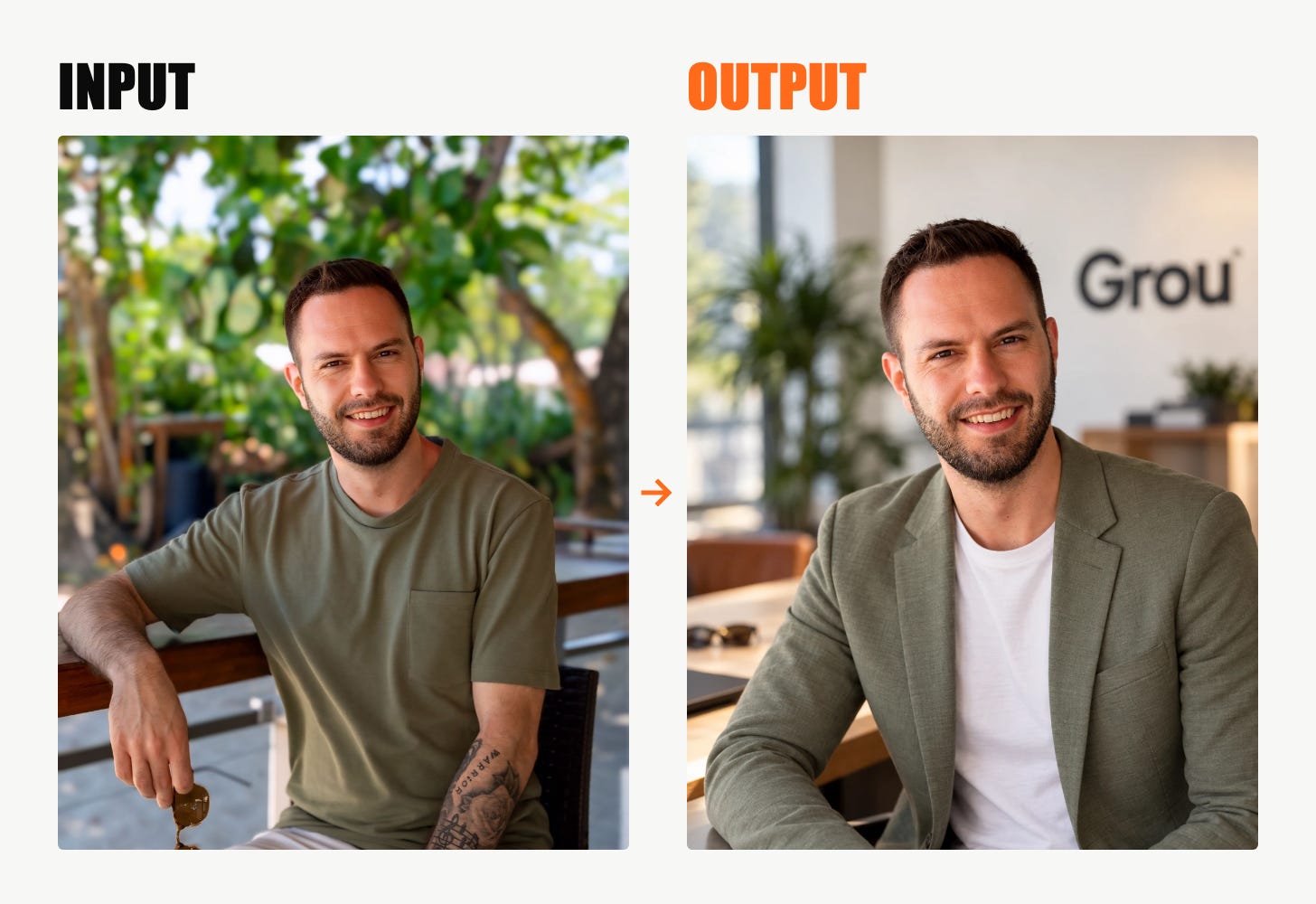
/corporateheadshot: Suit, neutral backdrop, soft light.
/founderportrait: A confident portrait for an About page or a press kit.
Paste this, with a selfie uploaded:
/corporateheadshot /softlight
Keep my face, hair and skin tone exactly as in the photo.
Without that second line, you get someone who looks a bit like you (and a bit like everyone else on LinkedIn).
4. Explaining your product
People buy what they understand. These three show how a product works.
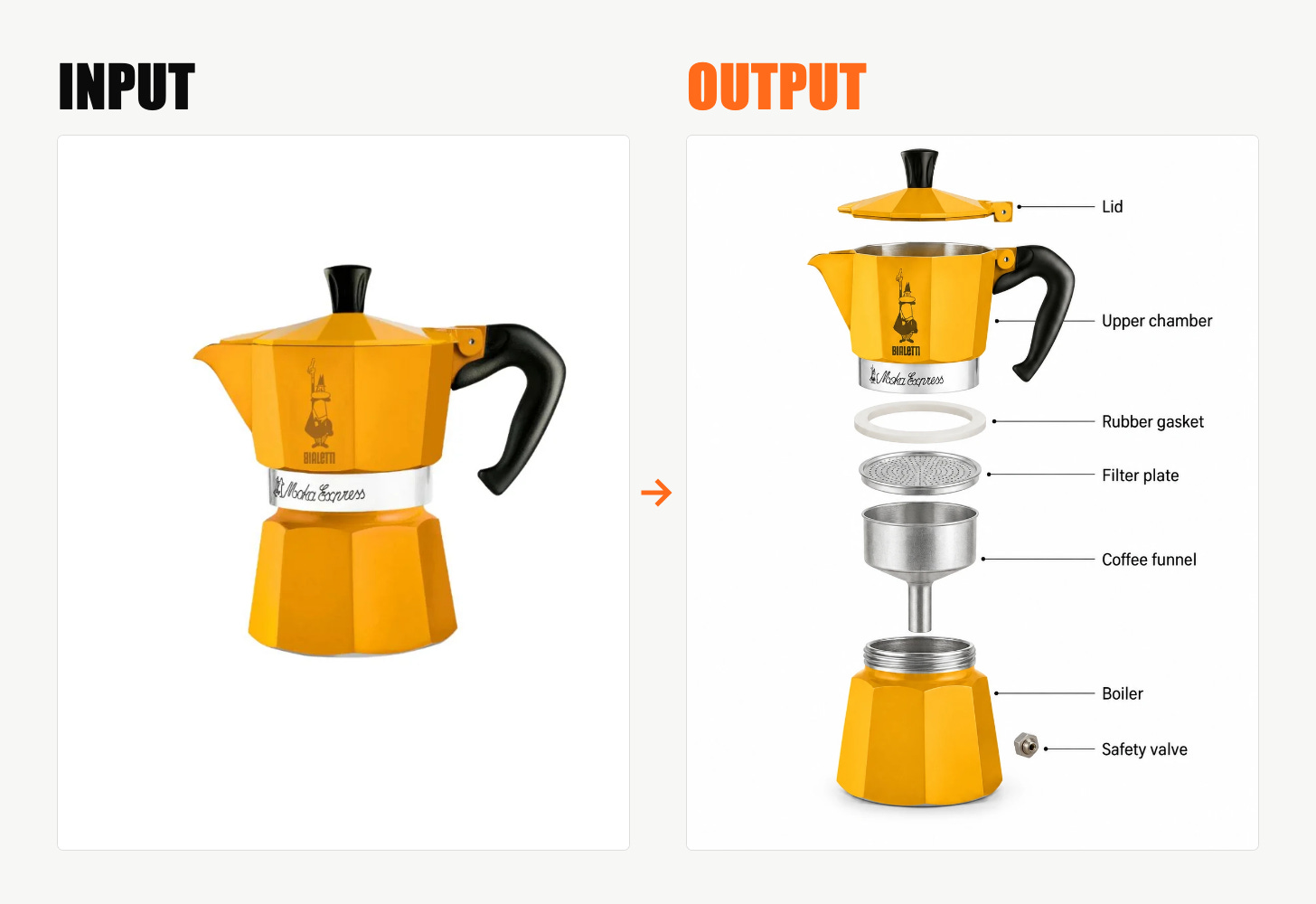
/explodedview: Every part pulled apart in 3D.
/cutaway: The product sliced open to show the inside.
/insidethebox: What the customer sees when they open the package.
Paste this:
/explodedview /isometric
What it is: [product]. Label each part in one or two words.
Every part, pulled apart and labelled. It works as a carousel slide or on a product page.
5. Brand
Three codes, three messages, one chat.
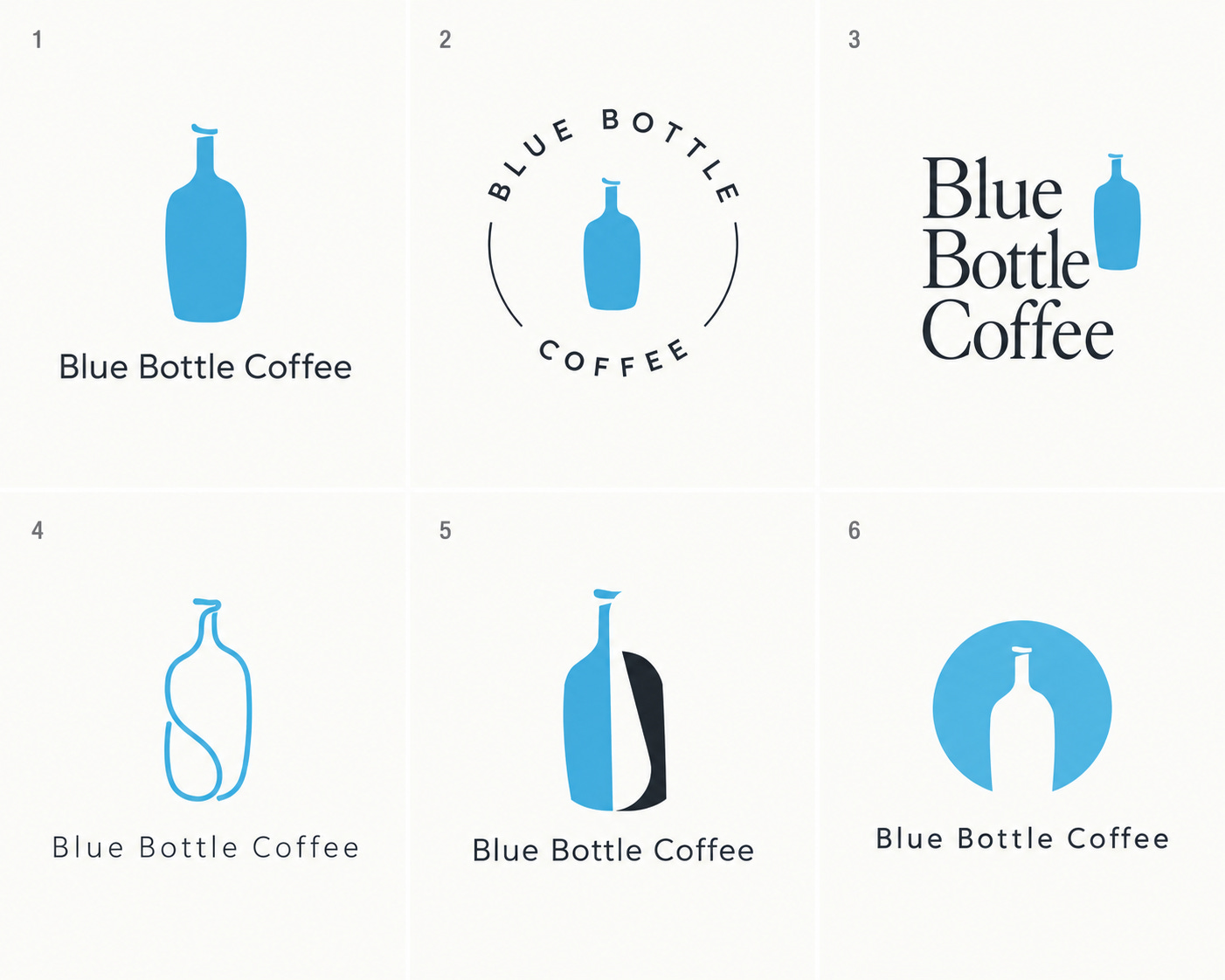
/logoconcepts: Several logo directions for a brand name.
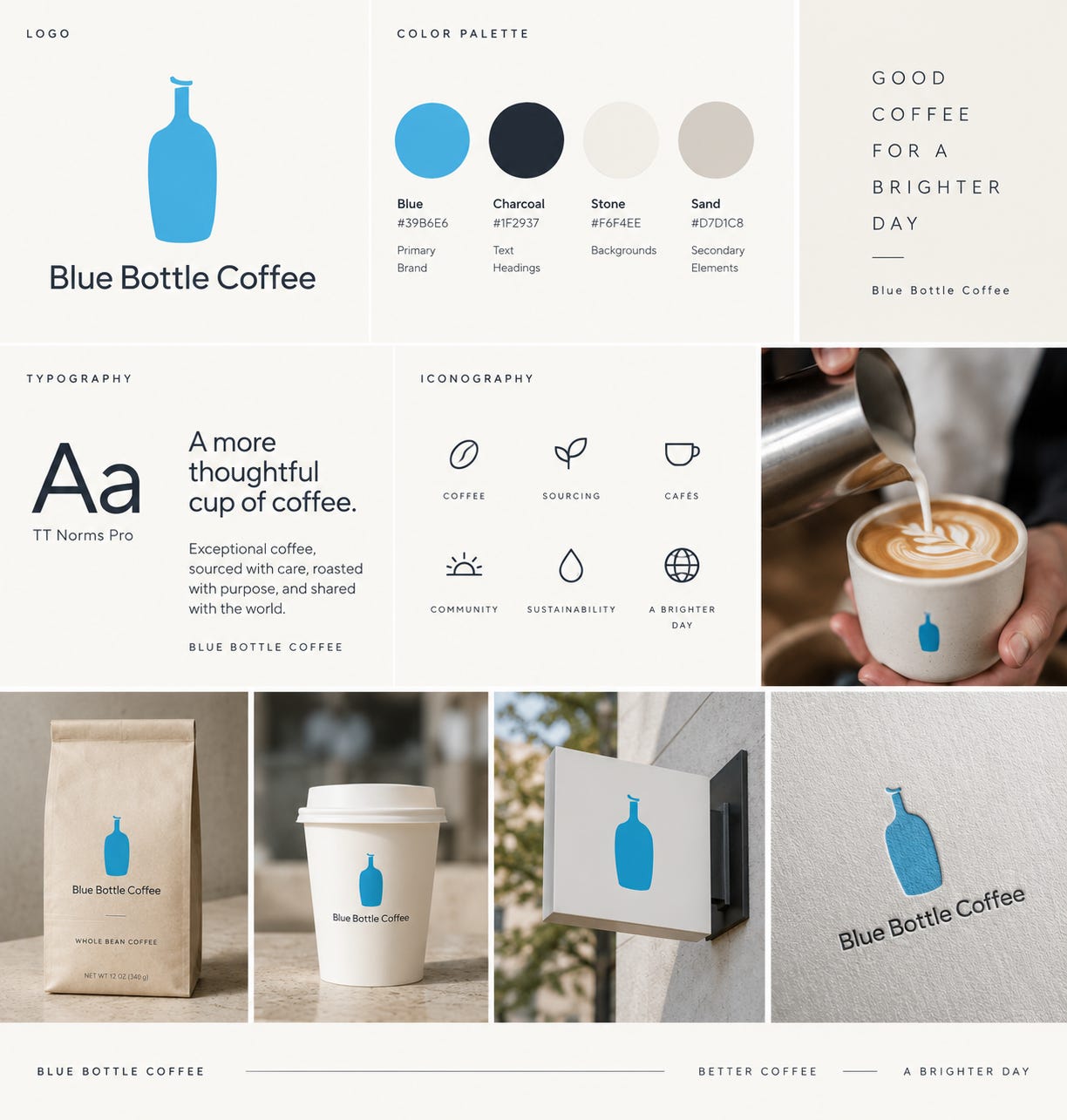
/brandboard: One sheet with logo, colours, fonts and imagery.
/brandmerch: Your logo on tees, mugs and totes.
Send these one after the other, in the same chat:
/logoconcepts Brand name: [name]. What we do: [one line].
/brandboard Use logo concept [number].
/brandmerch Put the logo on a tee, a mug and a tote.
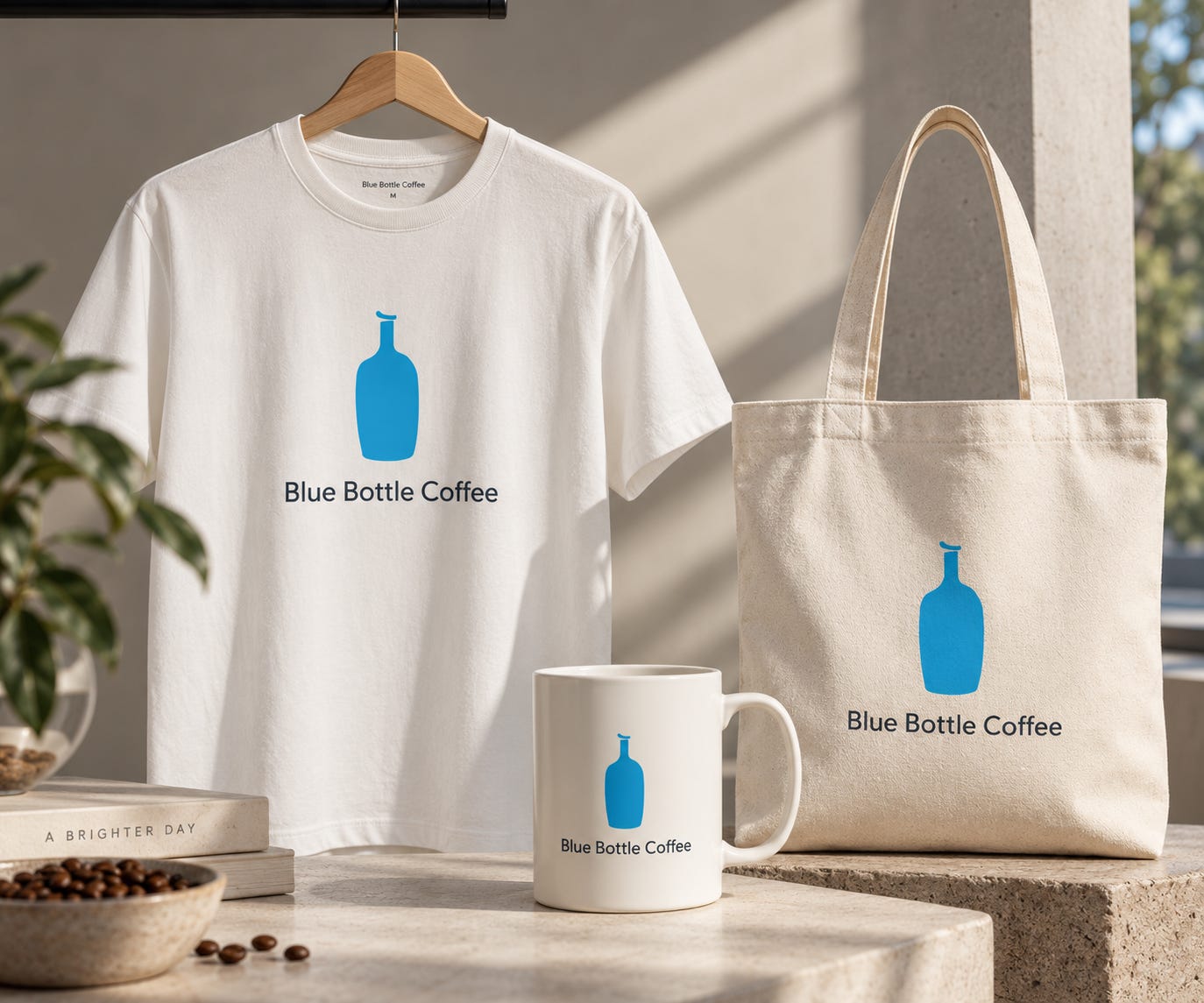
Same chat, so it remembers what you picked. Logo, then the brand sheet, then the merch.
6. The add-ons
These go after any code. They’re the quickest way to make a result look less generic.
/goldenhour: Warm, low evening sun.
/softlight: Even, flattering light, no hard shadows.
/lowangle: Camera low, looking up. Makes things look bigger.
/negativespace: Lots of empty space, room for your text.
Pick one for light and one for angle. That’s usually enough.
What to do when it goes wrong
Don’t start over. Fix it in the same chat.
The text came out wrong. Send this:
The word “[wrong]” should be “[correct]”. Change only that. Keep everything else exactly the same.
It looks generic. Add one real detail: your brand colours, where your customer uses it, the time of day.
The code seems ignored. Write it out: “a product hero shot” instead of /producthero. Same thing, just clearer to ChatGPT.
A video code does nothing. Video codes need a video tool connected to ChatGPT, like the Higgsfield plugin. Without one, you get a still image.
Before you post anything
Read every word, price, date, and name out loud against your original.
Zoom in on hands, logos and small text. That’s where the mistakes hide.
Use your own photos. Never someone else’s face without asking.
The whole thing, in the order you’d use it
1. Pick one main code for the job.
2. Add up to three add-ons.
3. Say the size.
4. Add the Keep line.
5. Check every word before you post.
That’s the system. The code is just the first line of it.
The full list
I put all 600+ codes in the Secret Stack, sorted for marketers.
The 110 useful ones have a line on what each does. The rest are grouped, so you can find a style in seconds. I’ll keep adding to it as I find codes that work.
It’s free. Subscribe, and the link is in your welcome email.
If this saved you an afternoon, forward it to one colleague who makes your ads.
See you next week.
- Aljaz